
Christmas on your Mac: Santa, gifts, snowmen and a tree you decorate yourself
Short answer
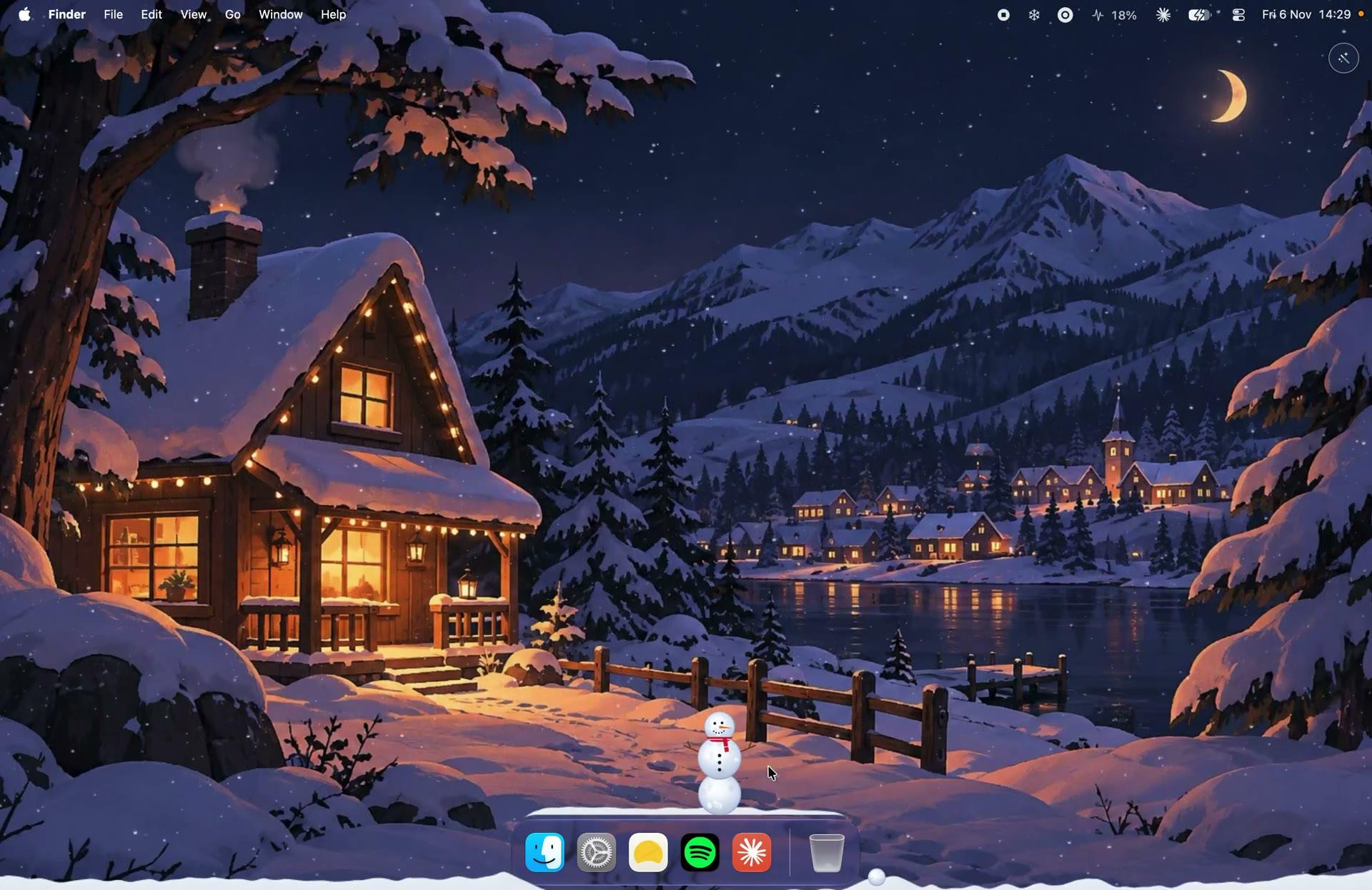
With KoiArt, Christmas happens right on your Mac desktop. Snow piles up on your windows, Santa and his reindeer come by along the Dock and leave one gift a day with a quote inside, you can grow up to three Christmas trees and dress them up, roll snowballs into snowmen, and keep them safe from the Yeti. All of it starts from the snowflake in the menu bar.
Santa comes to your Dock
Every few hours while it snows, Santa and his reindeer ride along your Dock or the bottom of your screen. He drops one gift a day. Click it to open it and you'll find a quote inside, in your language. Can't wait? Click the snowflake in the menu bar and pick Send Santa.
Grow your own Christmas tree
You can have up to three trees. Your trees stay where you put them, even after a restart. Two toppers and two kinds of trim are free to start, and Santa brings one more item a day while it snows.
- Click the snowflake in the menu bar, then Decorate, then Christmas tree. If it isn't snowing, the snow turns on for it.
- The tree grows with its card open. Click the tree any time to dress it up again.
- Pick how tall it is, from a bonsai to a big tree.
- Pick what goes on top: a star, a snowflake, a bow, a bell, a heart or a spire.
- Pick what hangs off it: baubles, lights, garland, candy canes, bells, gingerbread, bows or stars. Or hit Surprise me.
Deck the rest of your desktop
Decorate has more than trees: string lights you can stretch and shape, a wreath, stockings, candles, baubles, a snow globe and more. They sit on your desktop, behind your windows. See Christmas decorations for your Mac desktop.
Build a snowman, then protect it
Sweep your pointer through settled snow to roll snowballs. Roll three, stack them, and you've built a snowman. Click it to give it a hat, a face and an outfit. Snowmen ride along when you move a window and hop when you shake it. Leave two out and they might start a fight.
Then there's the Yeti. It comes for your snowmen, so drag yours away before it gets there. Send the Yeti when there's no snowman around and it chops down your newest tree instead. You've been warned.
Let it snow, properly
Pick Snow or Heavy snow. It settles on your windows, the Dock and your desktop widgets, and slides off when you drag a window. A tiny snowplough clears it now and then. Full guide: how to make it snow on your Mac.
Finish it with a winter wallpaper
Set a painted wallpaper on every screen in one click: Christmas, a snowy village with a giant tree, Santa, his sleigh under the northern lights, or the snowy Winter scene. Turn on Day & night and it moves from dawn to night with the clock, so your desktop looks like a snowy evening when you're wrapping gifts. See winter wallpapers for Mac.
A Christmas desktop checklist
- Snow or Heavy snow on.
- The Christmas or Winter wallpaper with Day & night.
- A tree, dressed up.
- A snowman on top of your favorite window.
- Santa's gift opened today.
- Wind on, gently, for a snowy evening feel.
Questions people ask
How often does Santa come?
Every few hours while it snows, and he leaves one gift a day. You can also send him any time from the menu bar.
How many Christmas trees can I have?
Up to three. One more and your Mac won't make it to Christmas, as the app puts it.
Will my snowmen and trees still be there tomorrow?
Yes. They stay where you left them after a restart, along with what's on your trees.
Can I keep the Christmas stuff but get on with work?
Yes. Behind windows is on from the start, so the falling weather stays on your wallpaper, under your apps. Turn on Snowmen and trees behind windows, right from the menu bar, to keep those under your apps too. Or turn on Keep windows clear so snow doesn't pile up on your windows.
Is it only for Christmas?
No. After the holidays switch to rain, sakura, autumn leaves, fireflies or starfall, each with its own wallpaper.